
How to Plan Your First AI-Assisted Short Video
A simple workflow for planning a short AI-assisted video: idea, hook, script, storyboard, visuals, voiceover, captions and publishing.
Course · 15 Days
Learn modern AI-powered video production, scriptwriting, image generation, voiceovers, video editing, social media content creation and publishing workflows.
The AI Video Creation course teaches you how to plan, produce and publish videos using modern AI tools. Over 15 days you move from ideas and scripts to images, video clips, voiceovers, captions and editing, then adapt your work for Reels, Shorts, promotions and product videos.
Every day includes a practical task, so by the end of the course you have a complete set of videos and a final project.
What the course covers
Daily curriculum
One focused topic and one practical task every day.
Day 1
How AI video works, formats, platforms and a simple production workflow.
Practical task: Analyse three short videos in your niche and note their hook, length and format.
Day 2
Finding video ideas with research and AI-assisted brainstorming.
Practical task: Create a list of 15 video ideas for one niche and select your top three.
Day 3
Hooks, structure and calls to action for short and long videos.
Practical task: Write a 45-second script with a clear hook and call to action.
Day 4
Planning scenes, shots and on-screen text before production.
Practical task: Turn your script into a 6 to 8 scene storyboard.
Day 5
Writing prompts for consistent characters, products and scenes.
Practical task: Generate visuals for every scene of your storyboard.
Day 6
Creating video clips from text prompts and refining results.
Practical task: Produce three short text-to-video clips for your project.
Day 7
Animating still images and keeping a consistent visual style.
Practical task: Animate at least three of your generated images.
Day 8
Choosing voices, pacing and pronunciation, and using voice tools responsibly.
Practical task: Record or generate a voiceover for your script.
Day 9
Readable captions, subtitle files and accessibility.
Practical task: Add accurate captions to your video draft.
Day 10
Cutting, transitions, music, pacing and exporting.
Practical task: Edit your clips, voiceover and captions into one draft video.
Day 11
What makes short-form content work: hooks, length and retention.
Practical task: Create a 15 to 30 second short-form version of your video.
Day 12
Formats and best practices for Instagram Reels, Facebook Reels and YouTube Shorts.
Practical task: Adapt your short video for Reels and Shorts, with titles and descriptions.
Day 13
Planning promotional videos and product showcase videos.
Practical task: Create a 20-second product or service promo video.
Day 14
Content calendars, thumbnails, titles, publishing workflows and platform policies.
Practical task: Prepare a one-week publishing plan for your videos.
Day 15
Bringing everything together and reviewing your work.
Practical task: Complete and present your final video project.
Tools covered
You will work with categories of tools such as the following. Specific tools may change as AI products evolve.
For ideas, research, scripts, titles and descriptions.
For scenes, characters, products and thumbnails.
For text-to-video and image-to-video clips.
For voiceovers in different styles and languages.
Desktop and mobile editors for cutting, captions and export.
YouTube Studio, Meta Business Suite and scheduling tools.
Each day ends with a task: a script, storyboard, image set, clip, voiceover, captions, edit or publishing plan. The tasks build into a complete project.
Produce a finished video package: a main video, a short-form version for Reels or Shorts, a thumbnail, and a title and description ready to publish.
We teach responsible AI video creation: respect copyright, platform policies and people’s likeness, and never use fake engagement or misleading content.
FAQ
The course runs for 15 days, with one topic and one practical task each day.
No. The course starts with fundamentals and introduces editing step by step.
A laptop or desktop computer with a stable internet connection. A smartphone is useful for mobile editing and publishing.
Yes. Every day includes a practical task, and you finish with a final video project.
Fill in the enrollment form below. We will contact you by email or WhatsApp with course information and the next steps.
Keep learning
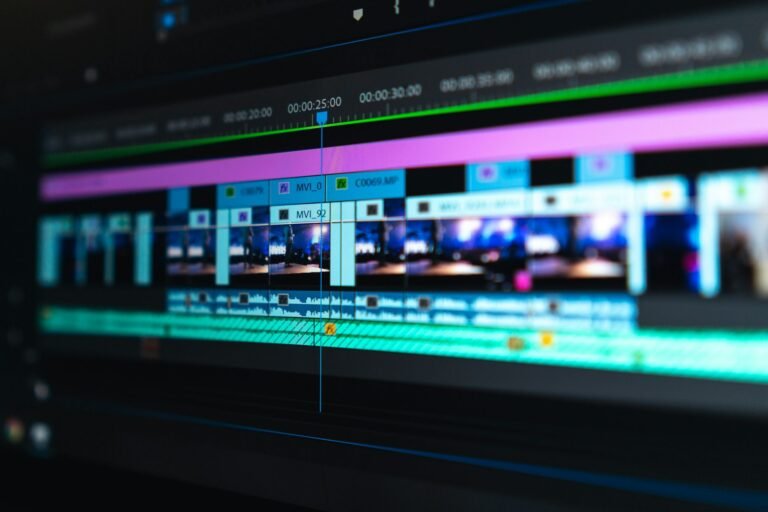
A simple workflow for planning a short AI-assisted video: idea, hook, script, storyboard, visuals, voiceover, captions and publishing.
Enrollment
Send your enrollment request and our team will contact you by email or WhatsApp with course information, schedule and the next steps.